Top 10 Ergonomic Keyboards

Split, tented, columnar, and Alice boards ranked across price tiers — with the relearning cost stated honestly.

10 picks · Updated 2026-07-18 · Independently ranked

The best keyboards for wrist strain and RSI, from a $53 mainstream wave board to $599 concave-keywell splits, ranked on ergonomic geometry rather than marketing. Every pick's layout, tenting, firmware, and price come straight from our sortable specs table, and every columnar board carries an honest warning about the week of typing speed you'll spend adapting to it.

1

Best for: best overall (ergonomics enthusiast)

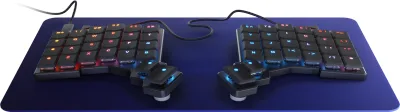
MoErgo Glove80

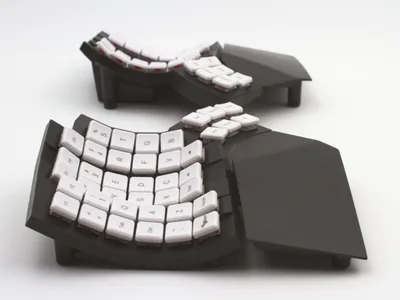
RTINGS' top overall ergonomic pick — adjustable concave keywells with splay and tenting, low-profile Choc switches, and open-source ZMK wireless, lighter and cheaper than the Kinesis Advantage360. Sold direct from MoErgo only; there is no Amazon listing.

  • Concave keywells + adjustable splay/tent — RTINGS' top overall pick
  • Low-profile wireless (ZMK), lighter and cheaper than the Advantage360
  • Most comfortable of the keywell boards for stationary home use
  • Steep columnar relearning curve (~1 week); ZMK less familiar than QMK
  • Direct-from-MoErgo only — no Amazon; bulky to travel with
$399.00 street est. — unverified
2

Best for: best full-ergo split for severe RSI

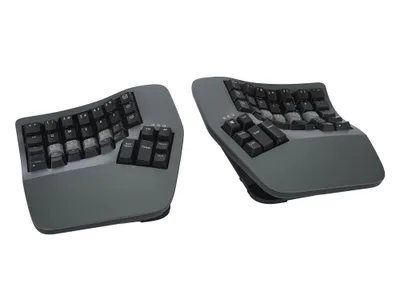
Kinesis Advantage360 Professional

The reference RSI-relief board — deep concave keywells, thumb clusters, adjustable tenting, and open-source ZMK over Bluetooth. Unusually for a flagship ergo split, it's sold on Amazon as well as direct.

  • Deep concave wells + thumb clusters — the reference for severe RSI
  • Fully split with adjustable tenting; open-source ZMK firmware
  • Sold on Amazon and direct — rare for a flagship ergo board
  • Most expensive pick here at $599; large footprint, long adaptation
  • Reports of Bluetooth/connectivity and switch niggles on some units
$599.00 street est. — unverified
3

Best for: best portable split for programmers (QMK)

ZSA Voyager

A small, polished, fully split low-profile board with thumb keys, magnetic tenting feet, and the excellent browser-based Oryx (QMK) configurator — the portable counterpart to the keywell heavyweights. Direct from ZSA only; no Amazon listing.

  • Polished low-profile fully split board — the Corne/Lily58 ideal, refined
  • Excellent Oryx (QMK) web configurator; layers cut finger travel
  • Highly portable vs keywell boards; magnetic tenting accessories
  • Columnar relearning is hard (~1 week); premium price for 52 keys
  • Wired USB-C only; direct-from-ZSA only, no Amazon
$365.00 street est. — unverified
4

Best for: best full-featured split with thumb clusters

ZSA Moonlander Mark I

Full-travel hot-swappable MX switches, large thumb clusters, built-in tenting legs, and detachable palm rests make this the most adjustable QMK split, backed by a huge Oryx community layout library. Sold direct from ZSA only — not on Amazon.

  • Full-travel MX switches + large thumb clusters, hot-swappable
  • Built-in tenting legs and palm rests — most adjustable QMK split
  • Mature Oryx software and huge community layout library
  • Bulky for a portable split; wired only; steep columnar learning curve
  • Direct-from-ZSA only — no Amazon listing
$365.00 street est. — unverified
5

Best for: best value mechanical split (QMK/VIA)

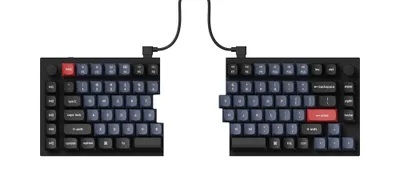
Keychron Q11

A real fully split mechanical board around $160 with no relearning — it keeps the standard row-stagger layout, adds full aluminum build, hot-swap sockets, a knob, and QMK/VIA programmability.

  • Fully split mechanical at ~$160 with zero relearning (row-stagger)
  • Full aluminum build, hot-swap, knob, QMK/VIA, Mac/Win toggle
  • Amazon-available with a confident single ASIN
  • No center tenting option; short bridge cable
  • Heavy; base model is wired only (Ultra 8K variant adds wireless)
$159.00 street est. — unverified
6

Best for: best for power users (thumb clusters, extreme tenting)

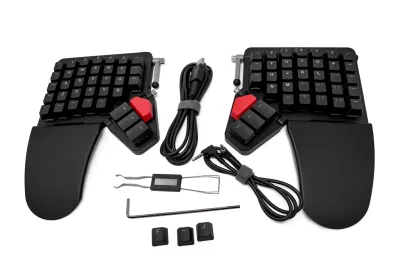
Dygma Defy

Sixteen thumb-cluster keys (eight per side), removable wrist rests, and the most aggressive optional tenting range in the class, driven by the open-source Bazecor software. Base price is $369; wireless and tenting are paid add-ons, and it's sold direct from Dygma only.

  • Unmatched thumb access — 8 keys per side with per-key layers
  • Premium build, removable wrist rests, best-in-class tenting range
  • Easy open-source Bazecor software
  • Wireless (+$90) and tenting (+$80) add-ons push the price well up
  • Columnar learning curve; direct-from-Dygma only, no Amazon
$369.00 street est. — unverified
7

Best for: best wireless mainstream (zero learning curve)

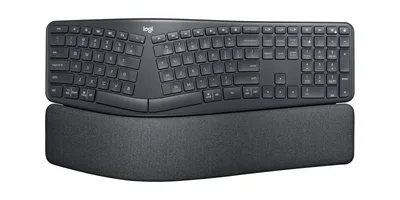
Logitech Ergo K860

The RTINGS/Engadget favorite mainstream ergo board — a fixed-curve Alice split with a big integrated palm rest, slight negative tilt, and three-device wireless. Logitech claims 25% less wrist bend; either way there's nothing to relearn.

  • Fixed Alice curve + big palm rest, with no relearning and a full numpad
  • Wireless (Bluetooth + Logi Bolt), 3-device Easy-Switch, Mac/Win
  • Frequently discounted below its $150 MSRP
  • Membrane, not mechanical; large footprint pushes the mouse out
  • Non-removable wrist rest; Options+ allows only limited remapping
$130.00 street est. — unverified
8

Best for: best Alice-layout mechanical (QMK/VIA)

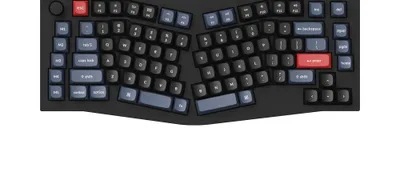
Keychron Q10 (Alice layout)

The Alice angle gives natural wrist splay with almost no relearning, wrapped in a gasket-mounted aluminum case with hot-swap sockets, a knob, a macro column, and full QMK/VIA programmability.

  • Alice angle adds wrist splay with almost no relearning
  • Premium gasket-mounted aluminum build, hot-swap, knob
  • Full QMK/VIA; typing feel praised across the Q8/Q10 line
  • Heavy and pricey; no tenting; wired (Max variant adds wireless)
  • Tall case really wants a wrist rest
$199.00 street est. — unverified
9

Best for: best budget mainstream (Wirecutter top pick)

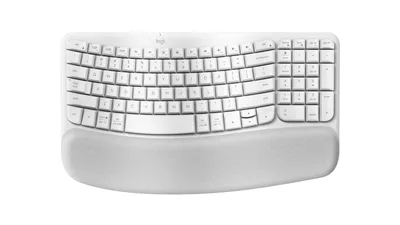
Logitech Wave Keys

Wirecutter's number-one ergonomic pick — a gentle non-split wave with a cushioned memory-foam palm rest, wireless connectivity, and zero learning curve, at the lowest price on this list.

  • Gentle wave + cushioned palm rest with zero learning curve
  • Compact for the class; wireless (Bluetooth + Logi Bolt)
  • Cheapest entry here at ~$53–60 street
  • Mild ergonomics only — no true split or tenting
  • Membrane; no numpad on the base model
$53.00 street est. — unverified
10

Best for: best domed membrane (Microsoft Sculpt successor)

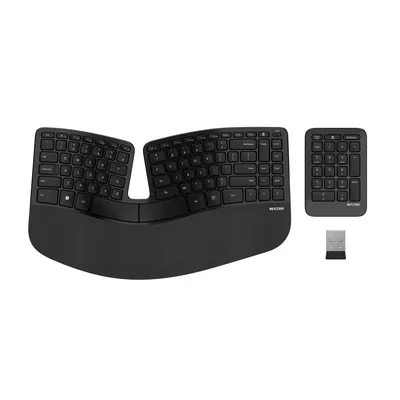
Incase Sculpt Ergonomic Keyboard (Designed by Microsoft)

The beloved Microsoft Sculpt reborn — after Microsoft discontinued its ergonomic line, Incase now manufactures the identical domed split board with the detachable negative-tilt riser and separate wireless numpad.

  • Identical to the long-proven Microsoft Sculpt design
  • Domed split + reverse tilt promotes neutral wrist/forearm posture
  • Wireless with a separate numpad
  • Membrane, dongle-only wireless, no real remapping
  • Non-adjustable dome geometry won't fit everyone
$130.00 street est. — unverified